"/><stop offset="1" stop-color="rgb(255, 100, 165)"/></linearGradient></defs><g d="M 0 0 L 60 0 L 60 60 L 0 60 Z M 9 60 C 4.029 60 0 55.971 0 51 L 0 9 C 0 4.029 4.029 0 9 0 L 51 0 C 55.971 0 60 4.029 60 9 L 60 51 C 60 55.971 55.971 60 51 60 Z M 42.974 11.215 C 43.145 11.215 43.331 11.198 43.535 11.164 C 43.773 11.096 44.011 10.942 44.249 10.704 C 44.385 10.568 44.538 10.5 44.708 10.5 C 44.98 10.5 45.184 10.653 45.319 10.959 L 49.347 18.412 C 49.449 18.616 49.5 18.77 49.5 18.872 C 49.5 19.144 49.364 19.348 49.092 19.484 L 46.951 20.658 C 46.747 20.76 46.577 20.811 46.441 20.811 C 46.237 20.811 46.05 20.658 45.88 20.352 L 45.727 20.046 C 44.878 18.344 43.654 17.136 42.057 16.422 C 40.46 15.707 38.624 15.349 36.551 15.349 L 34.053 15.349 L 34.053 41.588 C 34.053 42.949 34.308 44.106 34.818 45.059 C 35.327 45.978 36.228 46.437 37.519 46.437 L 37.876 46.437 C 38.386 46.437 38.641 46.692 38.641 47.203 L 38.641 48.734 C 38.641 49.245 38.386 49.5 37.876 49.5 L 22.174 49.5 C 21.664 49.5 21.41 49.245 21.41 48.734 L 21.41 47.203 C 21.41 46.692 21.665 46.437 22.175 46.437 L 22.481 46.437 C 23.772 46.437 24.673 45.978 25.182 45.059 C 25.692 44.106 25.947 42.949 25.947 41.588 L 25.947 15.349 L 23.449 15.349 C 21.376 15.349 19.541 15.707 17.943 16.421 C 16.346 17.136 15.122 18.344 14.273 20.046 L 14.12 20.352 C 13.95 20.658 13.763 20.812 13.559 20.812 C 13.423 20.812 13.253 20.761 13.049 20.659 L 10.908 19.484 C 10.636 19.348 10.5 19.144 10.5 18.872 C 10.5 18.77 10.551 18.616 10.653 18.412 L 14.68 10.959 C 14.85 10.653 15.054 10.5 15.292 10.5 C 15.462 10.5 15.615 10.568 15.751 10.704 C 15.989 10.943 16.21 11.096 16.414 11.164 C 16.651 11.197 16.855 11.215 17.026 11.215 Z" fill="transparent" height="60px" id="wnIU_RgRP" width="60px"><path d="M 0 0 L 60 0 L 60 60 L 0 60 Z" fill="transparent" height="60px" id="g9vASv_I0" width="60px"/><path d="M 9 60 C 4.029 60 0 55.971 0 51 L 0 9 C 0 4.029 4.029 0 9 0 L 51 0 C 55.971 0 60 4.029 60 9 L 60 51 C 60 55.971 55.971 60 51 60 Z" fill="rgb(254, 254, 254)" height="60px" id="Zi9UWh_Wu" width="60px"/><g d="M 32.474 0.715 C 32.645 0.715 32.831 0.698 33.035 0.664 C 33.273 0.596 33.511 0.442 33.749 0.204 C 33.885 0.068 34.038 0 34.208 0 C 34.48 0 34.684 0.153 34.819 0.459 L 38.847 7.912 C 38.949 8.116 39 8.27 39 8.372 C 39 8.644 38.864 8.848 38.592 8.984 L 36.451 10.158 C 36.247 10.26 36.077 10.311 35.941 10.311 C 35.737 10.311 35.55 10.158 35.38 9.852 L 35.227 9.546 C 34.378 7.844 33.154 6.636 31.557 5.922 C 29.96 5.207 28.124 4.849 26.051 4.849 L 23.553 4.849 L 23.553 31.088 C 23.553 32.449 23.808 33.606 24.318 34.559 C 24.827 35.478 25.728 35.937 27.019 35.937 L 27.376 35.937 C 27.886 35.937 28.141 36.192 28.141 36.703 L 28.141 38.234 C 28.141 38.745 27.886 39 27.376 39 L 11.674 39 C 11.164 39 10.91 38.745 10.91 38.234 L 10.91 36.703 C 10.91 36.192 11.165 35.937 11.675 35.937 L 11.981 35.937 C 13.272 35.937 14.173 35.478 14.682 34.559 C 15.192 33.606 15.447 32.449 15.447 31.088 L 15.447 4.849 L 12.949 4.849 C 10.876 4.849 9.041 5.207 7.443 5.921 C 5.846 6.636 4.622 7.844 3.773 9.546 L 3.62 9.852 C 3.45 10.158 3.263 10.312 3.059 10.312 C 2.923 10.312 2.753 10.261 2.549 10.159 L 0.408 8.984 C 0.136 8.848 0 8.644 0 8.372 C 0 8.27 0.051 8.116 0.153 7.912 L 4.18 0.459 C 4.35 0.153 4.554 0 4.792 0 C 4.962 0 5.115 0.068 5.251 0.204 C 5.489 0.443 5.71 0.596 5.914 0.664 C 6.151 0.697 6.355 0.715 6.526 0.715 Z" fill="transparent" height="39px" id="sJZgEX_6w" transform="translate(10.5 10.5)" width="39px"><path d="M 32.474 0.715 C 32.645 0.715 32.831 0.698 33.035 0.664 C 33.273 0.596 33.511 0.442 33.749 0.204 C 33.885 0.068 34.038 0 34.208 0 C 34.48 0 34.684 0.153 34.819 0.459 L 38.847 7.912 C 38.949 8.116 39 8.27 39 8.372 C 39 8.644 38.864 8.848 38.592 8.984 L 36.451 10.158 C 36.247 10.26 36.077 10.311 35.941 10.311 C 35.737 10.311 35.55 10.158 35.38 9.852 L 35.227 9.546 C 34.378 7.844 33.154 6.636 31.557 5.922 C 29.96 5.207 28.124 4.849 26.051 4.849 L 23.553 4.849 L 23.553 31.088 C 23.553 32.449 23.808 33.606 24.318 34.559 C 24.827 35.478 25.728 35.937 27.019 35.937 L 27.376 35.937 C 27.886 35.937 28.141 36.192 28.141 36.703 L 28.141 38.234 C 28.141 38.745 27.886 39 27.376 39 L 11.674 39 C 11.164 39 10.91 38.745 10.91 38.234 L 10.91 36.703 C 10.91 36.192 11.165 35.937 11.675 35.937 L 11.981 35.937 C 13.272 35.937 14.173 35.478 14.682 34.559 C 15.192 33.606 15.447 32.449 15.447 31.088 L 15.447 4.849 L 12.949 4.849 C 10.876 4.849 9.041 5.207 7.443 5.921 C 5.846 6.636 4.622 7.844 3.773 9.546 L 3.62 9.852 C 3.45 10.158 3.263 10.312 3.059 10.312 C 2.923 10.312 2.753 10.261 2.549 10.159 L 0.408 8.984 C 0.136 8.848 0 8.644 0 8.372 C 0 8.27 0.051 8.116 0.153 7.912 L 4.18 0.459 C 4.35 0.153 4.554 0 4.792 0 C 4.962 0 5.115 0.068 5.251 0.204 C 5.489 0.443 5.71 0.596 5.914 0.664 C 6.151 0.697 6.355 0.715 6.526 0.715 Z" fill="url(%23KbpzL6PmD-1929859876-linear-gradient)" height="38.999999999999986px" id="KbpzL6PmD" width="39px"/></g></g></svg>)
"/><stop offset="1" stop-color="rgb(255, 100, 165)"/></linearGradient></defs><g d="M 42.974 11.215 C 43.145 11.215 43.331 11.198 43.535 11.164 C 43.773 11.096 44.011 10.942 44.249 10.704 C 44.385 10.568 44.538 10.5 44.708 10.5 C 44.98 10.5 45.184 10.653 45.319 10.959 L 49.347 18.412 C 49.449 18.616 49.5 18.77 49.5 18.872 C 49.5 19.144 49.364 19.348 49.092 19.484 L 46.951 20.658 C 46.747 20.76 46.577 20.811 46.441 20.811 C 46.237 20.811 46.05 20.658 45.88 20.352 L 45.727 20.046 C 44.878 18.344 43.654 17.136 42.057 16.422 C 40.46 15.707 38.624 15.349 36.551 15.349 L 34.053 15.349 L 34.053 41.588 C 34.053 42.949 34.308 44.106 34.818 45.059 C 35.327 45.978 36.228 46.437 37.519 46.437 L 37.876 46.437 C 38.386 46.437 38.641 46.692 38.641 47.203 L 38.641 48.734 C 38.641 49.245 38.386 49.5 37.876 49.5 L 22.174 49.5 C 21.664 49.5 21.41 49.245 21.41 48.734 L 21.41 47.203 C 21.41 46.692 21.665 46.437 22.175 46.437 L 22.481 46.437 C 23.772 46.437 24.673 45.978 25.182 45.059 C 25.692 44.106 25.947 42.949 25.947 41.588 L 25.947 15.349 L 23.449 15.349 C 21.376 15.349 19.541 15.707 17.943 16.421 C 16.346 17.136 15.122 18.344 14.273 20.046 L 14.12 20.352 C 13.95 20.658 13.763 20.812 13.559 20.812 C 13.423 20.812 13.253 20.761 13.049 20.659 L 10.908 19.484 C 10.636 19.348 10.5 19.144 10.5 18.872 C 10.5 18.77 10.551 18.616 10.653 18.412 L 14.68 10.959 C 14.85 10.653 15.054 10.5 15.292 10.5 C 15.462 10.5 15.615 10.568 15.751 10.704 C 15.989 10.943 16.21 11.096 16.414 11.164 C 16.651 11.197 16.855 11.215 17.026 11.215 Z" fill="transparent" height="60px" id="ENy7giQS1" transform="translate(-9 -9)" width="60px"><path d="M 0 0 L 60 0 L 60 60 L 0 60 Z" display="none" fill="transparent" height="60px" id="ESka27RLq" width="60px"/><path d="M 9 60 C 4.029 60 0 55.971 0 51 L 0 9 C 0 4.029 4.029 0 9 0 L 51 0 C 55.971 0 60 4.029 60 9 L 60 51 C 60 55.971 55.971 60 51 60 Z" display="none" fill="rgb(254, 254, 254)" height="60px" id="GxreBo0Hb" width="60px"/><g d="M 32.474 0.715 C 32.645 0.715 32.831 0.698 33.035 0.664 C 33.273 0.596 33.511 0.442 33.749 0.204 C 33.885 0.068 34.038 0 34.208 0 C 34.48 0 34.684 0.153 34.819 0.459 L 38.847 7.912 C 38.949 8.116 39 8.27 39 8.372 C 39 8.644 38.864 8.848 38.592 8.984 L 36.451 10.158 C 36.247 10.26 36.077 10.311 35.941 10.311 C 35.737 10.311 35.55 10.158 35.38 9.852 L 35.227 9.546 C 34.378 7.844 33.154 6.636 31.557 5.922 C 29.96 5.207 28.124 4.849 26.051 4.849 L 23.553 4.849 L 23.553 31.088 C 23.553 32.449 23.808 33.606 24.318 34.559 C 24.827 35.478 25.728 35.937 27.019 35.937 L 27.376 35.937 C 27.886 35.937 28.141 36.192 28.141 36.703 L 28.141 38.234 C 28.141 38.745 27.886 39 27.376 39 L 11.674 39 C 11.164 39 10.91 38.745 10.91 38.234 L 10.91 36.703 C 10.91 36.192 11.165 35.937 11.675 35.937 L 11.981 35.937 C 13.272 35.937 14.173 35.478 14.682 34.559 C 15.192 33.606 15.447 32.449 15.447 31.088 L 15.447 4.849 L 12.949 4.849 C 10.876 4.849 9.041 5.207 7.443 5.921 C 5.846 6.636 4.622 7.844 3.773 9.546 L 3.62 9.852 C 3.45 10.158 3.263 10.312 3.059 10.312 C 2.923 10.312 2.753 10.261 2.549 10.159 L 0.408 8.984 C 0.136 8.848 0 8.644 0 8.372 C 0 8.27 0.051 8.116 0.153 7.912 L 4.18 0.459 C 4.35 0.153 4.554 0 4.792 0 C 4.962 0 5.115 0.068 5.251 0.204 C 5.489 0.443 5.71 0.596 5.914 0.664 C 6.151 0.697 6.355 0.715 6.526 0.715 Z" fill="transparent" height="39px" id="ZZtf7bnpg" transform="translate(10.5 10.5)" width="39px"><path d="M 32.474 0.715 C 32.645 0.715 32.831 0.698 33.035 0.664 C 33.273 0.596 33.511 0.442 33.749 0.204 C 33.885 0.068 34.038 0 34.208 0 C 34.48 0 34.684 0.153 34.819 0.459 L 38.847 7.912 C 38.949 8.116 39 8.27 39 8.372 C 39 8.644 38.864 8.848 38.592 8.984 L 36.451 10.158 C 36.247 10.26 36.077 10.311 35.941 10.311 C 35.737 10.311 35.55 10.158 35.38 9.852 L 35.227 9.546 C 34.378 7.844 33.154 6.636 31.557 5.922 C 29.96 5.207 28.124 4.849 26.051 4.849 L 23.553 4.849 L 23.553 31.088 C 23.553 32.449 23.808 33.606 24.318 34.559 C 24.827 35.478 25.728 35.937 27.019 35.937 L 27.376 35.937 C 27.886 35.937 28.141 36.192 28.141 36.703 L 28.141 38.234 C 28.141 38.745 27.886 39 27.376 39 L 11.674 39 C 11.164 39 10.91 38.745 10.91 38.234 L 10.91 36.703 C 10.91 36.192 11.165 35.937 11.675 35.937 L 11.981 35.937 C 13.272 35.937 14.173 35.478 14.682 34.559 C 15.192 33.606 15.447 32.449 15.447 31.088 L 15.447 4.849 L 12.949 4.849 C 10.876 4.849 9.041 5.207 7.443 5.921 C 5.846 6.636 4.622 7.844 3.773 9.546 L 3.62 9.852 C 3.45 10.158 3.263 10.312 3.059 10.312 C 2.923 10.312 2.753 10.261 2.549 10.159 L 0.408 8.984 C 0.136 8.848 0 8.644 0 8.372 C 0 8.27 0.051 8.116 0.153 7.912 L 4.18 0.459 C 4.35 0.153 4.554 0 4.792 0 C 4.962 0 5.115 0.068 5.251 0.204 C 5.489 0.443 5.71 0.596 5.914 0.664 C 6.151 0.697 6.355 0.715 6.526 0.715 Z" fill="url(%23r4oRpS1Kd-703919304-linear-gradient)" height="38.999999999999986px" id="r4oRpS1Kd" width="39px"/></g></g></svg>)
7 Best Design Feedback Tools to Get Clear Visual Input From Clients
Tired of “make it pop” feedback? These 7 design feedback tools help you collect clear, visual input from clients. No more clarification calls.


Jon Sorrentino
Talki Co-Founder
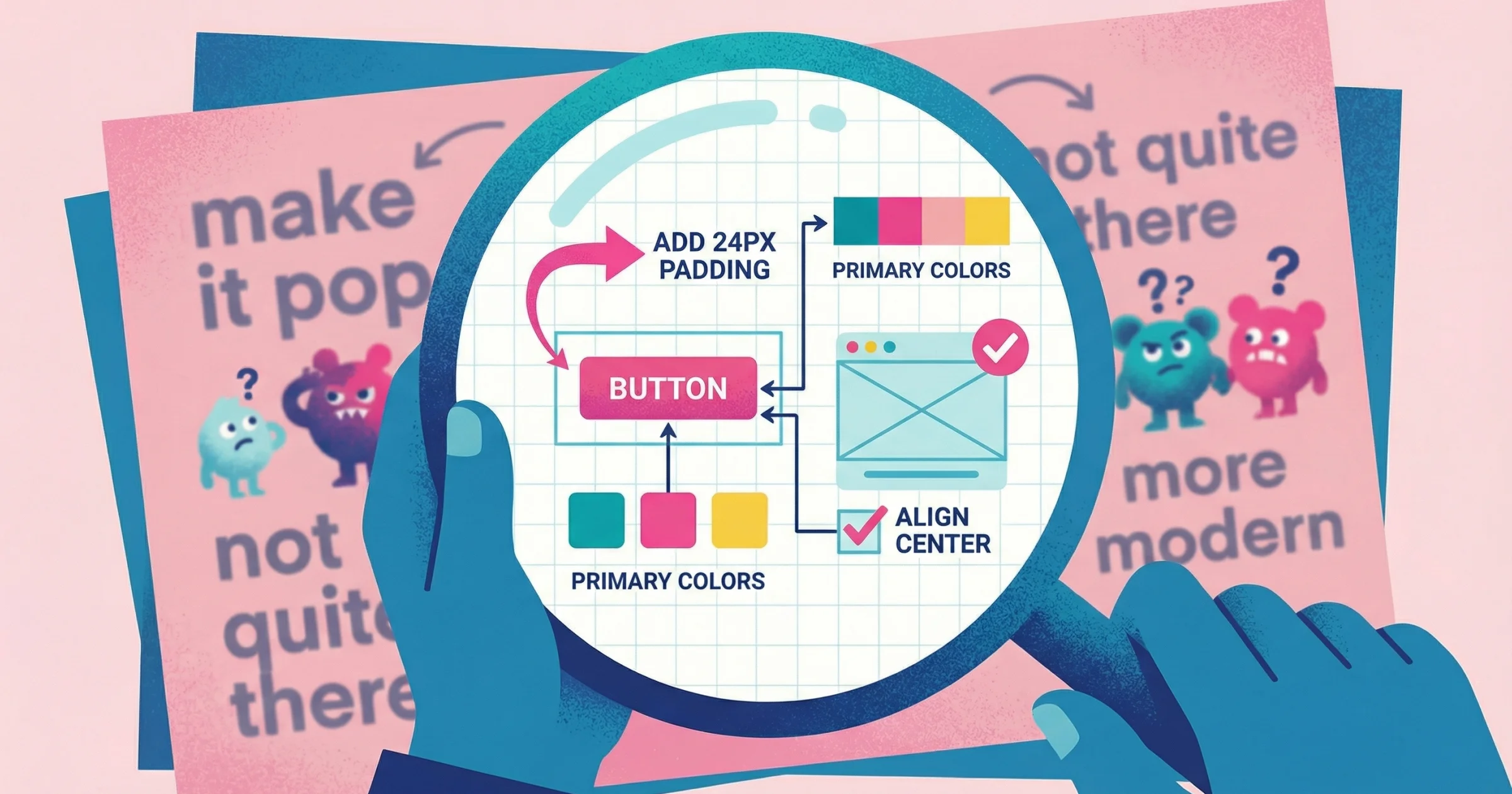
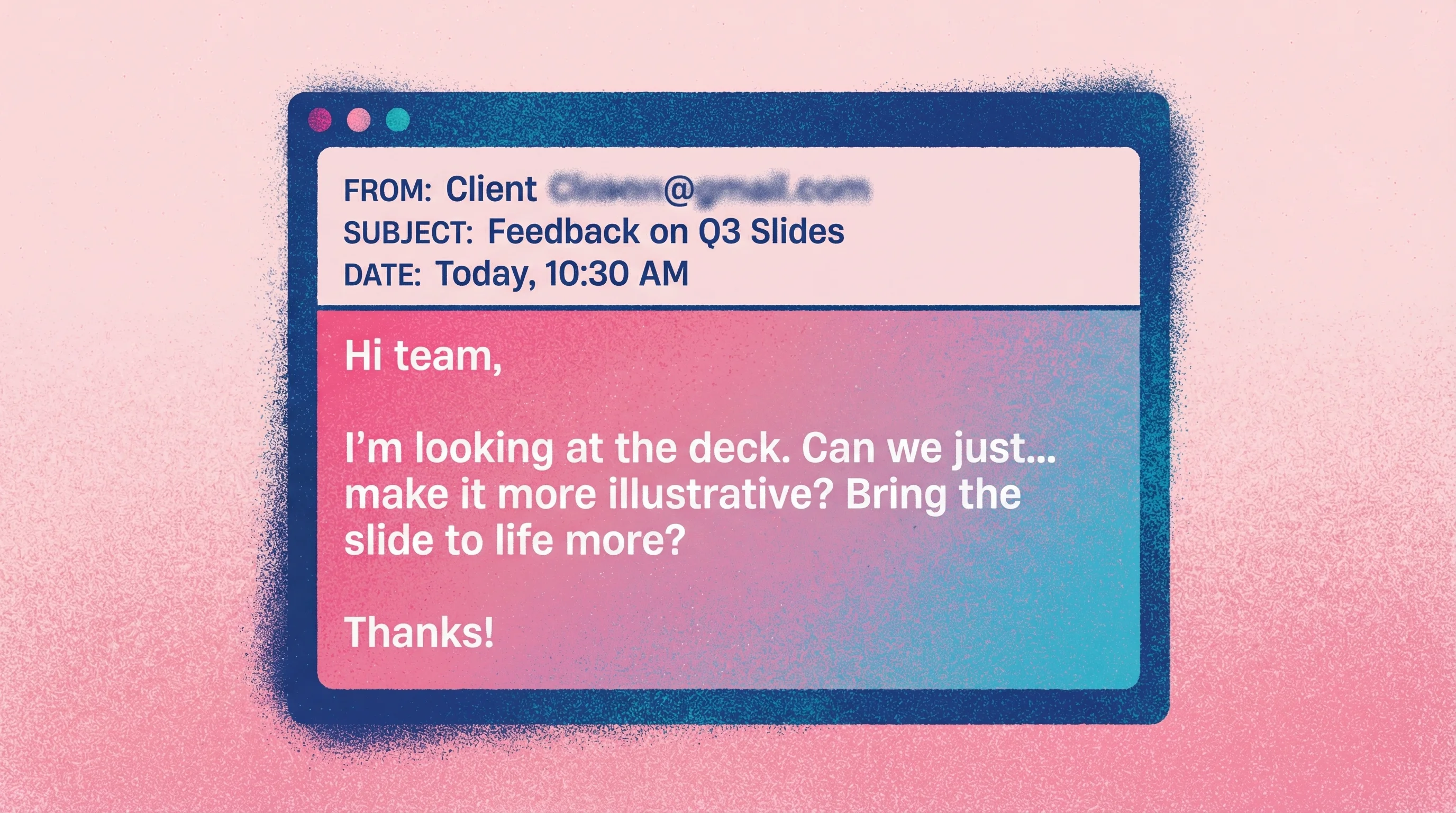
Just this month, a client told me they wanted to "bring the slide to life more" and make it "more illustrative." Illustrative can mean multiple things. Using actual illustrations, building out icon variations to show motion, adding visual metaphors. Without a way to show me what they had in mind, I was left guessing.
The vagueness led to frustration on both sides. The client felt like they might have to do it themselves. I was stuck in back-and-forth emails and multiple video calls that could have been avoided if they could have just pointed at a reference and said "like this."
It's not just annoying. Over half of companies regularly miss deadlines because of approval delays and scattered feedback. And this is exactly why written design comments fail.And when you do get written feedback? External surveys see response rates of just 10-15%, and what comes back is usually vague at best.
Design feedback tools solve this by giving clients and stakeholders a way to show you exactly what they're thinking, instead of struggling to describe it in words. The right tool eliminates the translation layer between "I'll know it when I see it" and actionable direction.
What Makes a Design Feedback Tool Actually Useful
The best design feedback tools share three qualities: they let reviewers communicate visually, they don't create friction for non-technical users, and they keep everything organized in one place. A tool that requires your client to create an account, download software, or learn a new interface is a tool that won't get used.
Visual annotation is non-negotiable
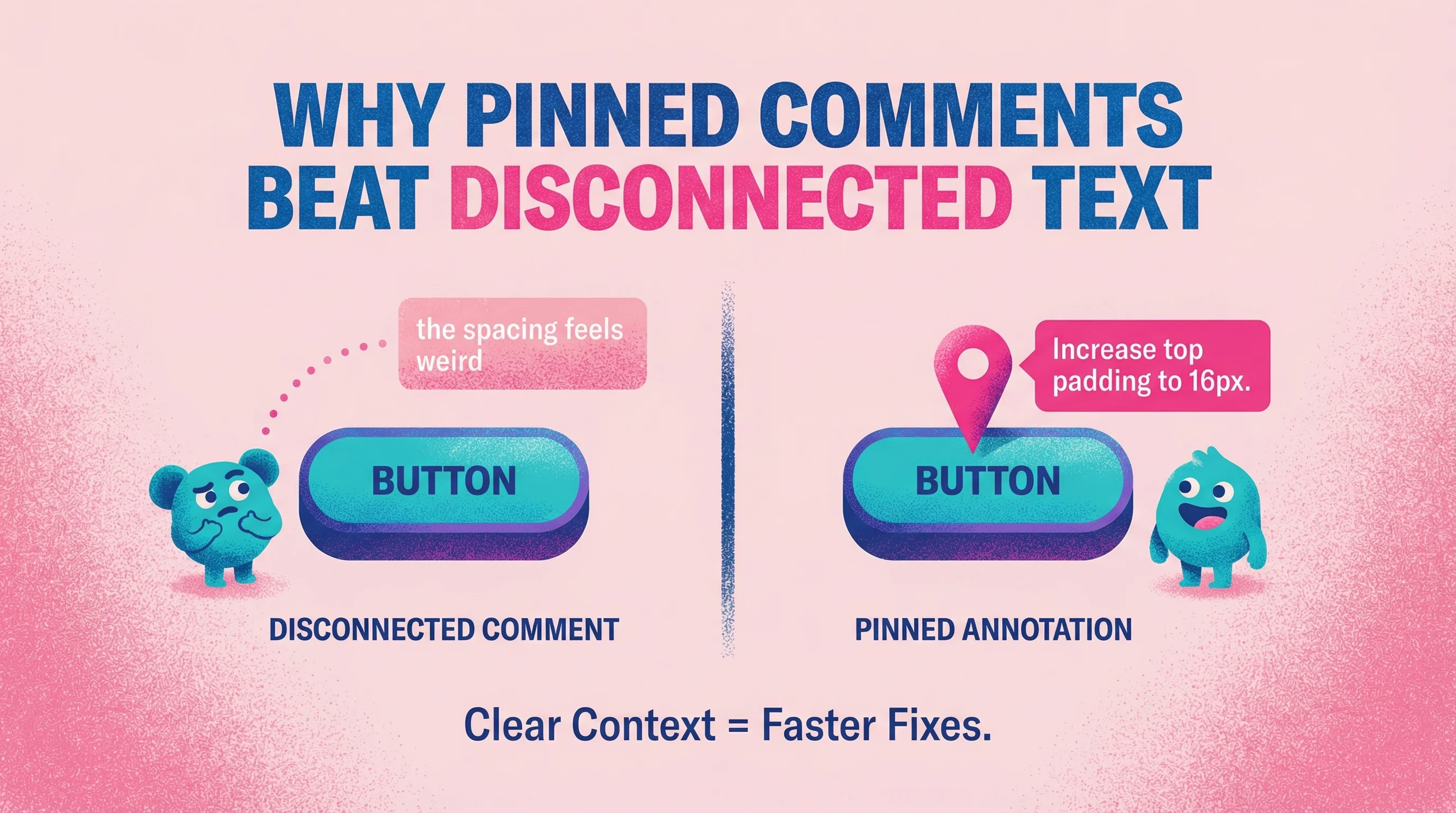
Text comments fail because design is visual. When a client types "the spacing feels weird," you're left guessing which spacing, where, and weird compared to what.
Research backs this up: studies on reading comprehension show that adding visuals significantly improves understanding of complex material—especially for visual learners—while text-only formats underperform. When you're discussing UI layouts, color relationships, or spatial decisions, pinning comments directly to elements eliminates the ambiguity that text creates.
Annotation tools let reviewers click directly on what they're referencing. No more guessing.
Friction kills feedback
Every extra step reduces response rates. In SaaS onboarding, nearly half of users quit if signup feels too long, and over a third drop off specifically at email verification.
The same principle applies to design feedback. Every step you ask of a client—create an account, verify an email, install something—cuts your feedback rate. The tools that work best require zero setup from reviewers. If your client can click a link and start giving feedback immediately, they actually will.

Context needs to stay attached
When feedback is spread across Google Docs, Slack, email, and meeting notes, teams waste time chasing the "final version" and deciphering conflicting comments. Content workflow research shows that fragmented tools are a top reason teams miss deadlines and redo work. Nobody trusts they're looking at the right version.
The right design feedback tool keeps all comments attached to specific versions, so you can see exactly what someone said about exactly what they were looking at.
The 7 Best Design Feedback Tools
1. Talki
Best for: Agencies and freelancers who need video feedback from clients
Full disclosure: I built Talki after years of dealing with the exact problem I described in the intro—clients who couldn't articulate what they meant in writing.
Talki flips the async video model. Instead of you recording and sending videos to clients, clients record and send videos to you. This solves the core problem with written feedback: clients can show you exactly what they mean by pointing at their screen while they talk through their thoughts.
Most remote teams now prefer mostly-async collaboration, about 71% according to recent studies. And async video is increasingly used to replace status meetings and live feedback calls because it keeps people focused while still capturing tone and nuance.
Key features:
No account required for reviewers
Automatic transcription with AI summaries
Screen recording captures exactly what they're looking at
Works on any device, no downloads
Pricing: Free tier available, paid plans from $X/month
Limitations: Focused on video collection rather than static image annotation
Why it works: When a client can point at the header and say "this blue feels too corporate for our brand," you get infinitely more context than "can we try a different blue?" The video format captures nuance that text simply can't. For a deeper dive, see our video feedback tool comparison.
2. Markup.io
Best for: Teams who need annotation on live websites and static designs
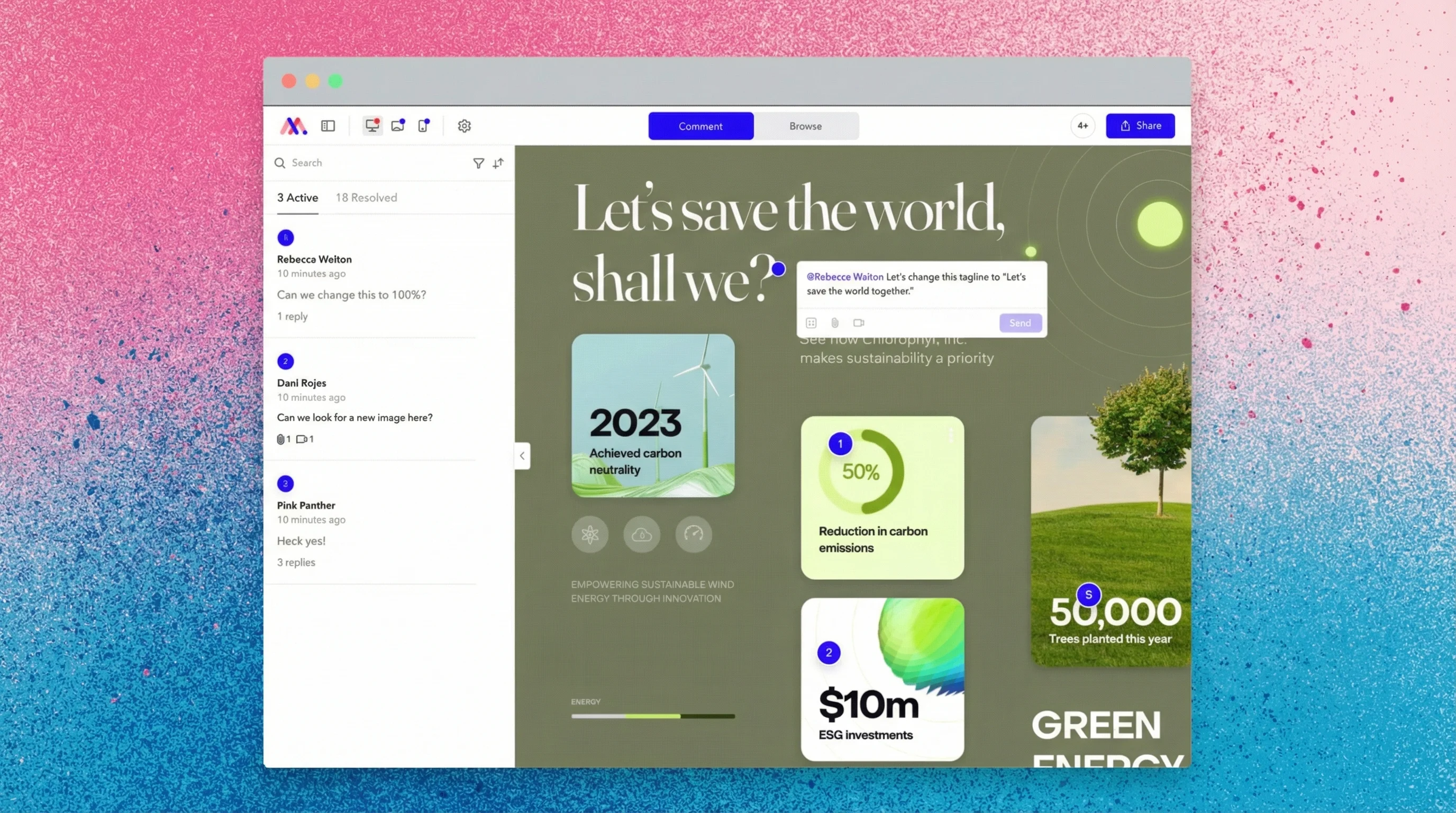
Markup.io lets reviewers draw directly on websites and images, leaving comments pinned to specific elements. It's particularly strong for web design feedback where seeing the actual live site matters.
Key features:
Browser extension for live site annotation
Image and PDF markup
Guest access without accounts
Integrations with Slack, Trello, Asana
Pricing: Free plan available, Pro from $15/user/month
Limitations: Video feedback requires a higher tier. Can feel cluttered on complex pages with many annotations.
A note on my experience: I haven't personally used Markup.io, but I've had conversations with other agency owners and designers who have. Opinions are mixed—some like it, but a few have told me they're moving away from it and consolidating into Figma instead. Your mileage may vary.
3. Filestage
Best for: Creative teams with formal approval workflows
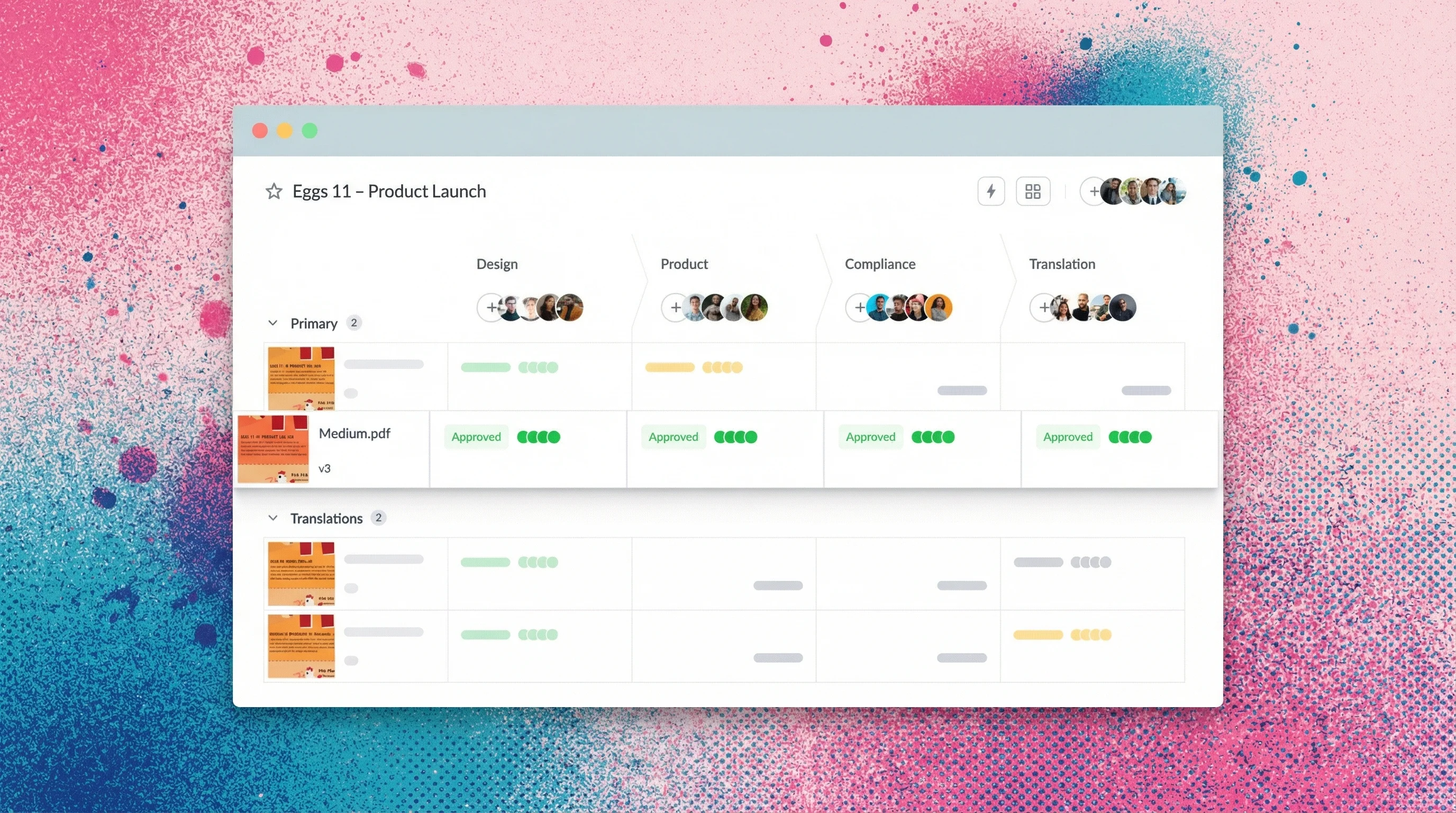
Filestage is built for structured review processes. If you need multiple stakeholders to sign off in a specific order, or you're managing compliance-heavy projects that require audit trails, Filestage handles that complexity.
This isn't feature bloat—it's solving a quantified problem. Over half of companies miss content deadlines because of approval delays and collaboration bottlenecks. Platforms with structured workflows have been shown to cut review time by up to 60% and improve team satisfaction by about 45%.
Key features:
Multi-step approval workflows
Version comparison
Due date tracking
Supports video, image, PDF, and document review
Pricing: From $49/month (billed annually)
Limitations: Overkill for simple client feedback. The workflow features add complexity that smaller teams may not need.
4. Loom
Best for: Sending feedback, not collecting it
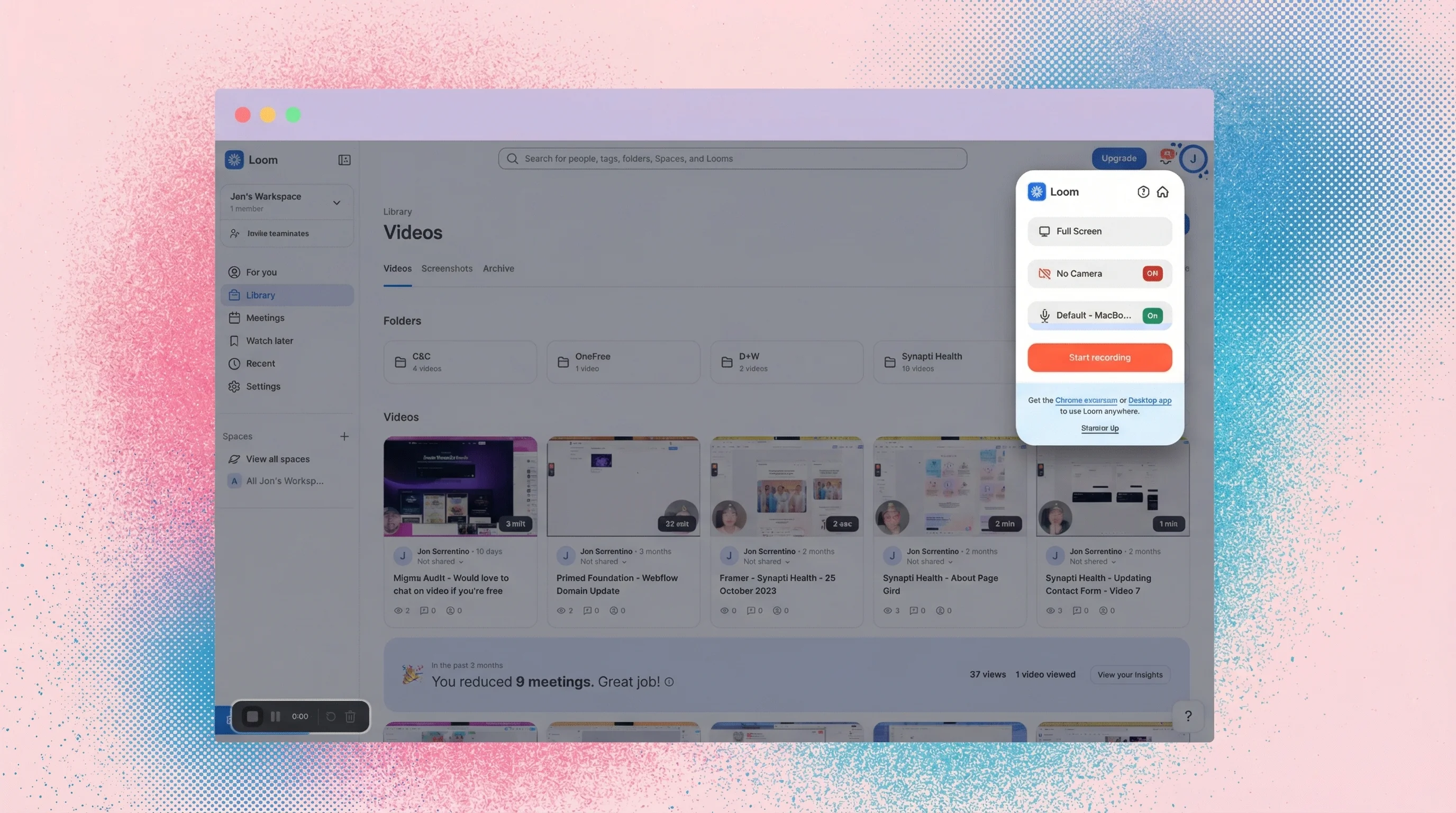
Loom deserves mention because many teams try to use it for design feedback. It works well when you need to explain your design decisions to clients. But for collecting feedback, it has a fundamental limitation: you're asking clients to record and send videos to you, which requires them to have Loom accounts and understand the tool.
Key features:
Quick screen recording
Easy embedding and sharing
Comments on videos
AI transcription
Pricing: Free tier, Business from $15/user/month
Limitations: Designed for broadcasting, not collection. Recipients need accounts to record responses. Not purpose-built for feedback workflows. If you're evaluating options, see our full Loom alternatives comparison.
My experience: I rarely push clients to use Loom for feedback because it becomes another app they have to create an account for before getting any value from it. It usually goes to waste on the feedback collection side—I end up just using it for my own business needs like sending walkthroughs.
5. InVision (Legacy Tool)
Best for: Teams still using it from previous projects
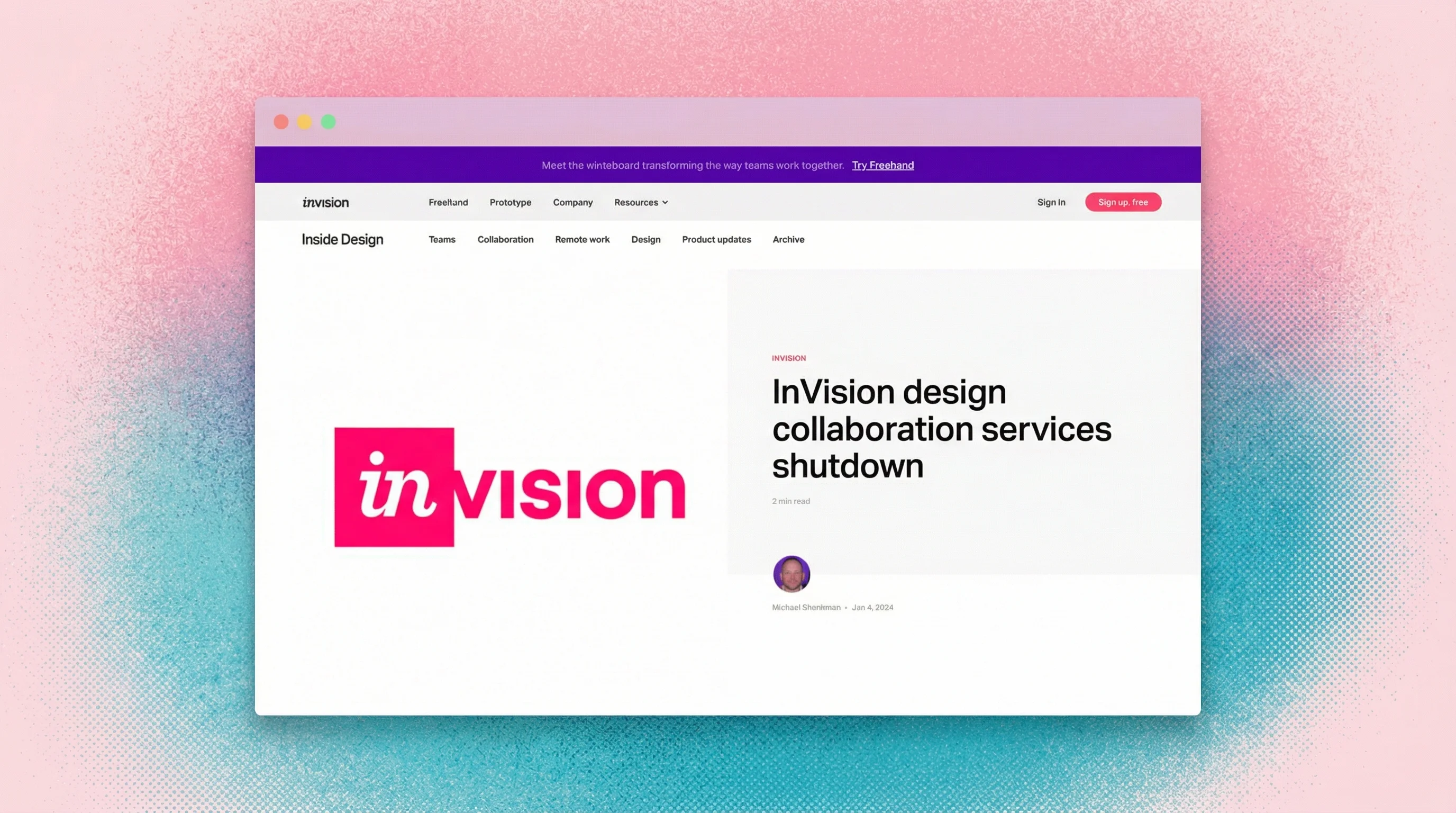
Important note: InVision announced that its design collaboration services shutdown on December 31, 2024. The shutdown has forced thousands of teams to migrate to alternatives like Figma.
If you're currently using InVision, it's time to plan your migration. If you're evaluating new tools, skip this one entirely.
What it was:
Interactive prototype viewing
Screen-specific comments
Integrations with Sketch, Figma, Photoshop
Freehand whiteboarding
Why it's on this list: You may encounter InVision in handover projects or legacy workflows. Understanding what it did helps when you're migrating teams off of it.
6. Figma Comments
Best for: Teams already working in Figma
If your design work lives in Figma, the built-in commenting feature keeps feedback in context without adding another tool. Stakeholders can view designs and leave comments without needing paid Figma seats.
Since Figma has become the dominant design tool—especially following InVision's decline—this is often the simplest solution for design-team feedback.
Key features:
Native to your design tool
Free for commenters
Real-time collaboration
Comment threads and resolution tracking
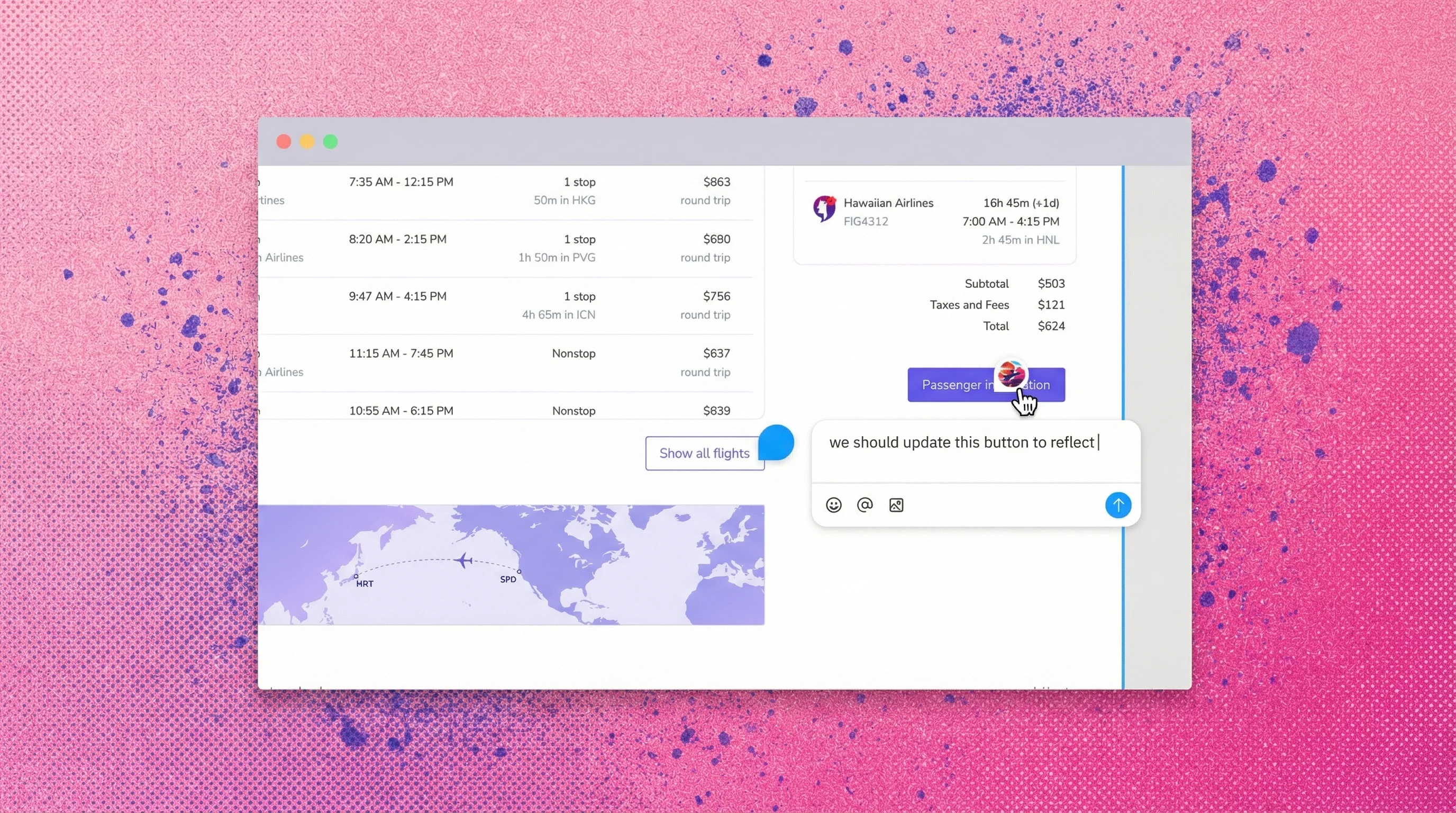
Pricing: Included with Figma (Free tier available)
Limitations: Requires sharing Figma links, which can feel technical to some clients. No video feedback. Comments can get lost in complex files with many frames.
My experience: Figma Comments works really well for me, and I've found it works well for people who have worked in Figma before or have some baseline knowledge of design tools. But when you're working with clients outside the design world—like a financial services company I worked with earlier this year—it can take time to teach them how to use it. I actually had to send over a screen recording to educate them on how to leave comments. Their default preference was to send every revision in a long-winded email instead.
7. Pastel
Best for: Website feedback with client-friendly interface
Pastel creates a simple overlay on any live website, letting clients click and comment without technical knowledge. The interface is intentionally minimal to reduce friction for non-designers.
Key features:
Works on any live URL
Simple click-to-comment interface
Email notifications
Task tracking
Pricing: From $24/month
Limitations: Limited to web projects. No support for static images or video feedback.
A note on my experience: Like Markup.io, I haven't used Pastel directly, but I've spoken with agency owners who have. Some like the simplicity, though I've heard similar feedback about eventually consolidating into Figma for everything.
How to Choose the Right Tool for Your Workflow
Having led design at companies like PepsiCo and Barstool Sports, and working closely with stakeholders during my time at Vice Media, I've seen both sides of the feedback problem.
On the in-house side, collecting feedback from colleagues can be cumbersome—you're getting emails from everyone, and it's hard to wrangle. As an independent designer over the last couple of years, I've also experienced what it's like to receive feedback from stakeholders at major companies. Sometimes it takes days because teams want to give everyone a chance to weigh in before compiling a massive email.
I think there's a better way: have everyone record their feedback independently, without being influenced by other team members, and send those separately. Then someone like me can summarize and synthesize everything rather than untangling a 47-point email thread.
Consider your feedback format
If written comments with visual context work for your projects, annotation tools like Markup.io or Pastel fit well. If you've found that clients struggle to articulate feedback in writing—the classic "make it pop" problem—video-based tools like Talki capture the nuance that text misses. We break down forms vs. video vs. async feedback methods in a separate guide.
Remote work research supports this shift. 81% of managers say remote and hybrid work has maintained or improved productivity, and many teams now measure work by deliverables rather than hours. Async video fits naturally into this workflow—replacing status meetings and live feedback calls without losing the tone and context that makes feedback actionable.
Evaluate client friction
Be realistic about your clients' technical comfort. Enterprise clients with internal review processes may handle more complex tools. Small business clients who just want to approve their new logo need zero friction. Match the tool to your typical client, not your ideal client.
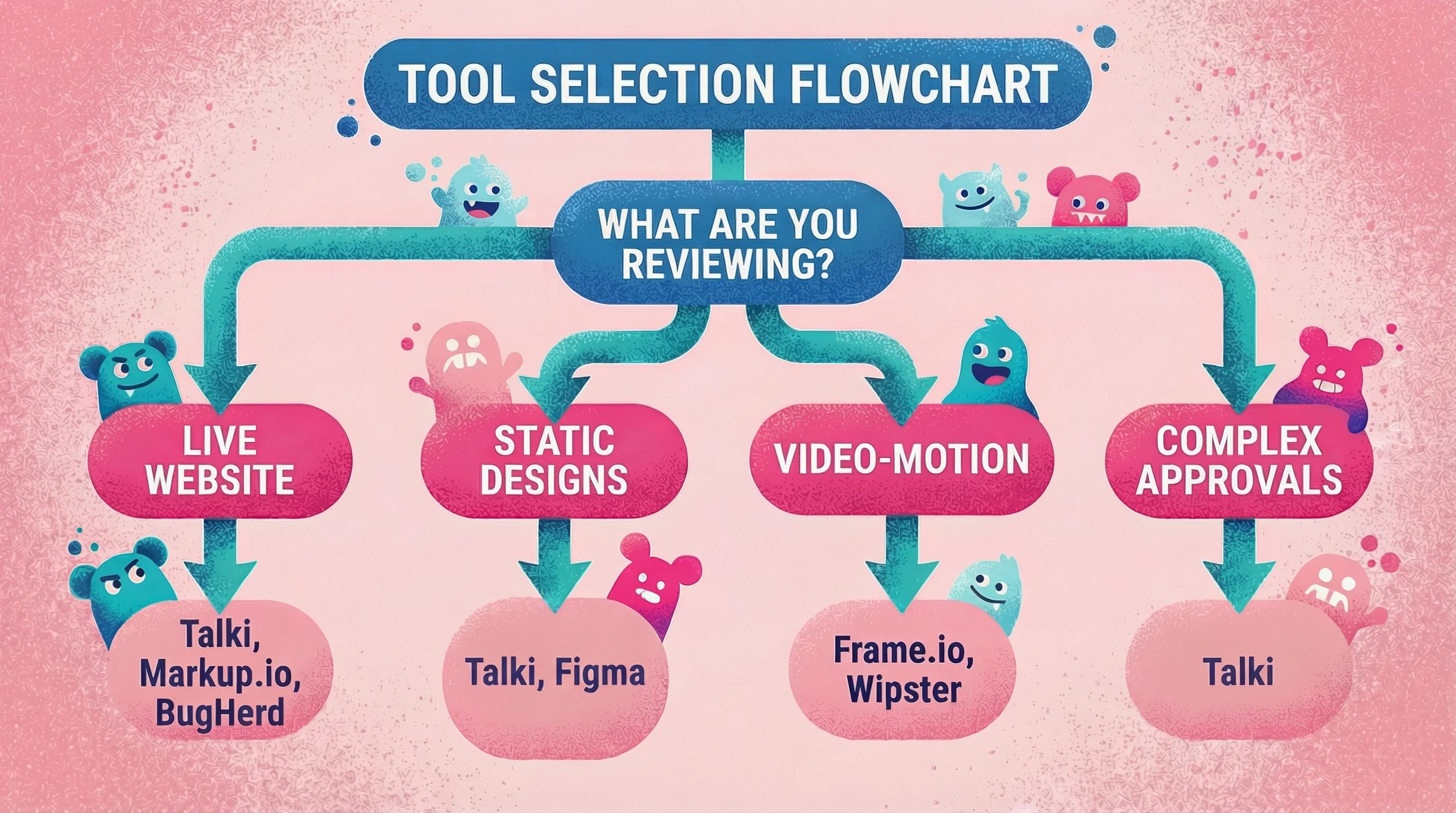
Think about what you're reviewing
Calculate the real cost
The tool's subscription cost is rarely the biggest factor.
I track all of my client meetings—feedback calls, review sessions, everything—separately from actual design time. Over the last six months, I spent about 300 hours designing and 100 hours on admin tasks like meetings and review calls.
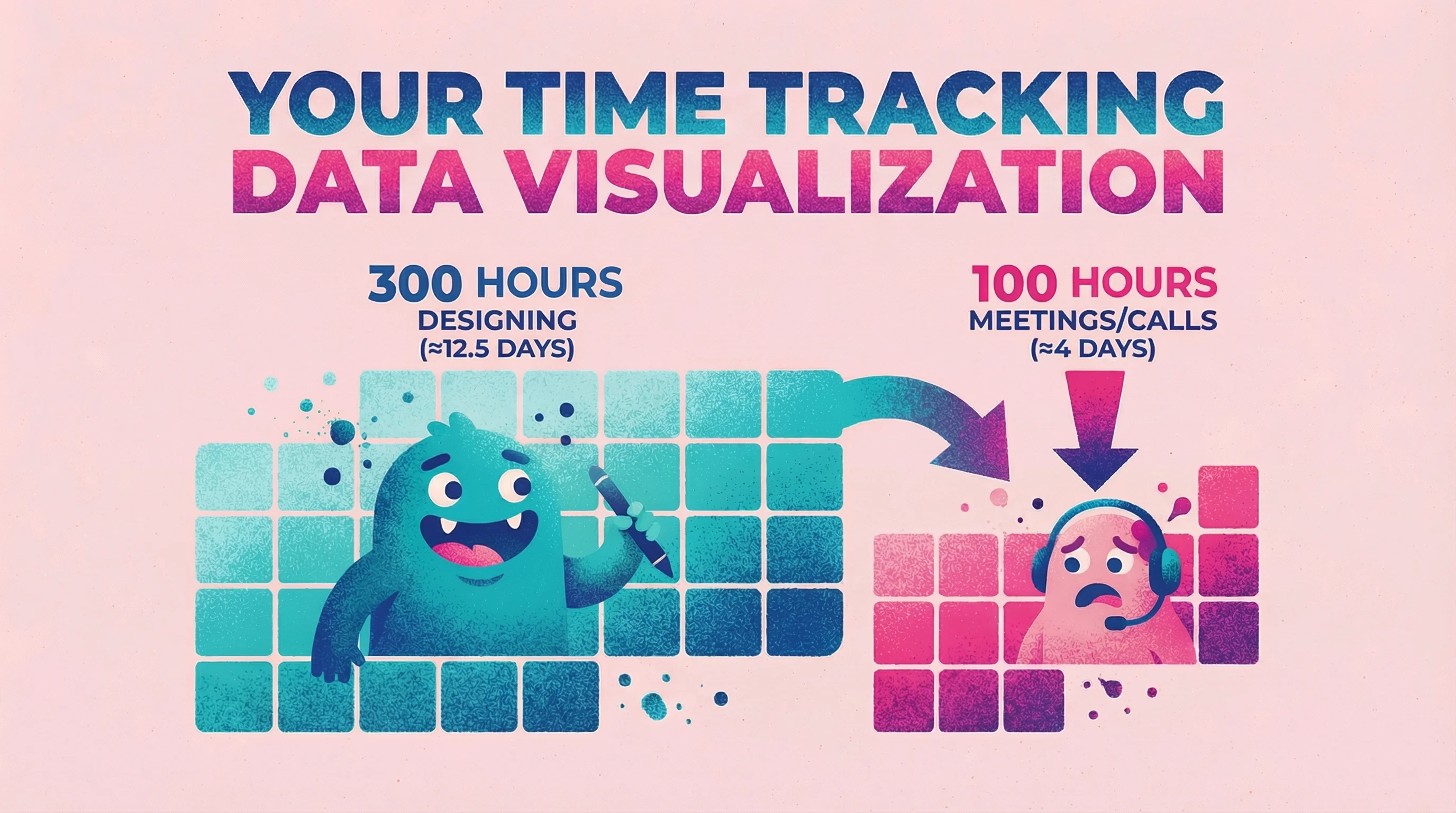
To put that in perspective: 300 hours is roughly 12.5 full days of nonstop designing. Those 100 hours of calls? That's over 4 full days of meetings. Four days I could have spent on billable work or, frankly, with my family.
If a $50/month tool cuts even a fraction of those review calls by making feedback clearer upfront, the math is obvious.
FAQ
What is the best free design feedback tool?
Figma's built-in commenting is the strongest free option if you're already using Figma—and with Figma now dominating the design tool market, most teams are. For video feedback collection without requiring client accounts, Talki offers a free tier that covers basic needs.
How do I get better feedback from clients who aren't designers?
Give them a way to show rather than tell.
External surveys typically see 10-15% response rates, and the feedback that comes back is often vague. Video feedback tools let clients point at exactly what they mean while explaining their thoughts out loud. This captures context that written comments miss and reduces the back-and-forth clarification that eats up project timelines.
The tools with the lowest friction—no accounts, no downloads, just click and talk—get the highest participation rates. For more methods beyond surveys and forms, see our guide to customer feedback collection.
Can design feedback tools integrate with project management software?
Most modern design feedback tools offer integrations with tools like Asana, Trello, Slack, and Jira. Filestage and Markup.io have particularly strong integration ecosystems. Check specific tool documentation for your stack.
How do I handle feedback from multiple stakeholders?
Look for tools with version control and threaded comments so you can track who said what about which version.
Approval delays are why over half of companies miss content deadlines—having a structured workflow isn't just nice, it's necessary for complex projects. Filestage is built specifically for multi-stakeholder workflows with sequential approvals. For simpler needs, even basic tools let you organize feedback by reviewer.
Conclusion
The right design feedback tool eliminates the translation layer between what clients think and what you hear. Whether that means visual annotation, video recording, or structured approval workflows depends on your clients and projects.
Start with your biggest pain point. If you're drowning in clarification calls, try Talki's video collection. If annotation on live sites is the gap, test Markup.io or Pastel. If your workflow needs formal approvals, explore Filestage.
Most tools offer free tiers or trials—test with a real project before committing.